The Generating Next Month of Statement
You can generate the next month of the statement, the f...








You can generate the next month of the invoice, the fields are going to change for you such as Statement No, Issued Date, and Expired Date.
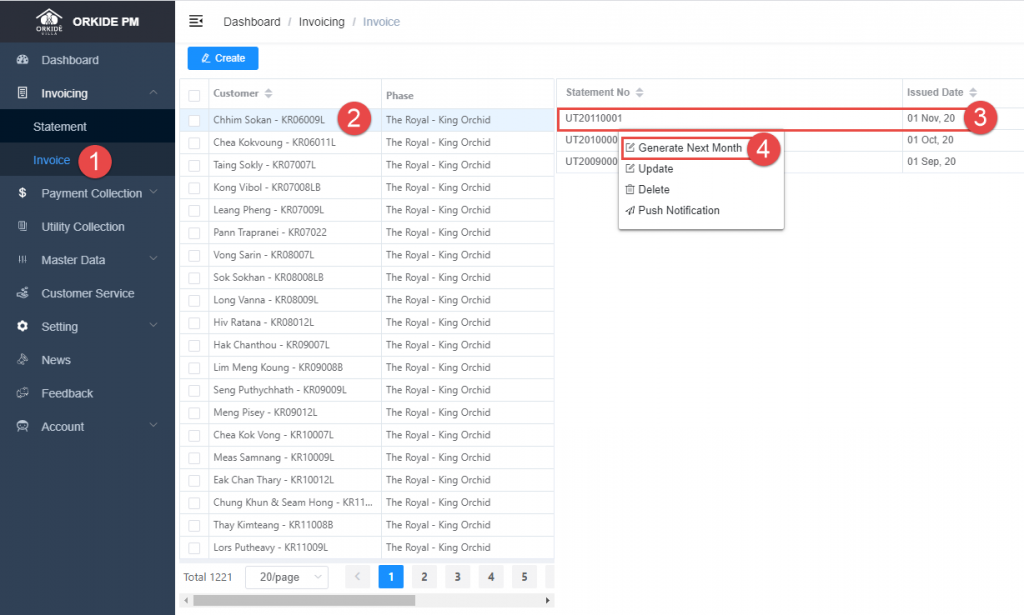
In step 3, you have to Right Click on step 3, you are going to see step 4, and then click on step 4 to generate next month.