ODS Reset Password

  1. Access ODS by url http://192.168.1.252/login.aspx

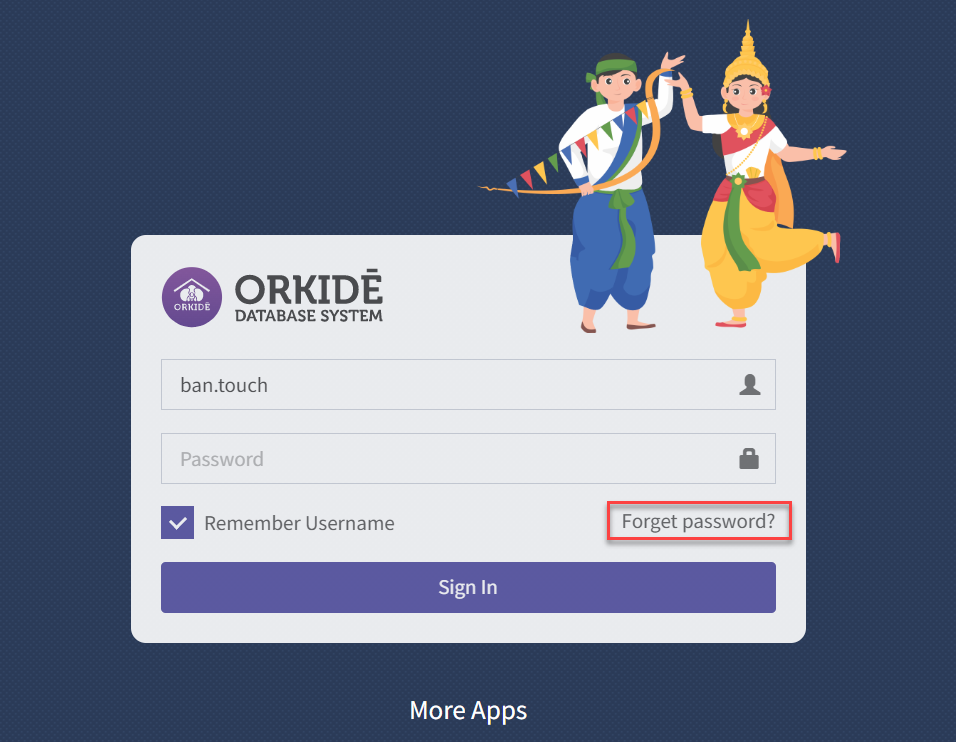
2. Click on Forgot Password?

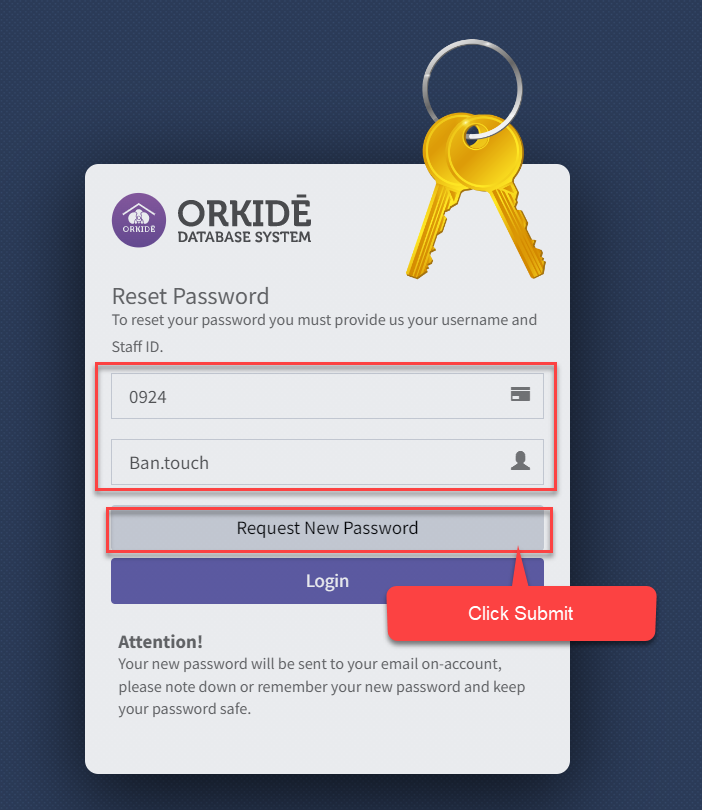
3. Input staff ID and ODS user name then click on Request New Password.

  1. User name ODS account
  2. Staff ID 4 digits

Examole as Image below:

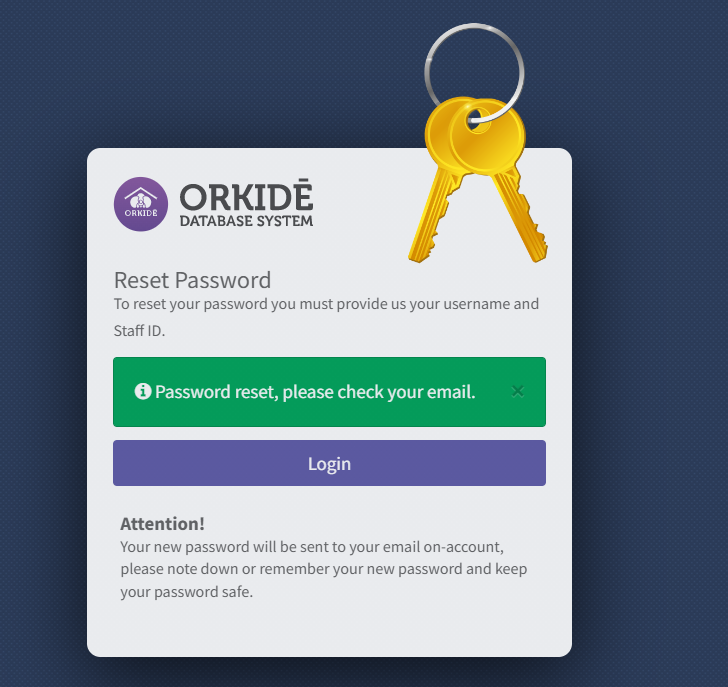
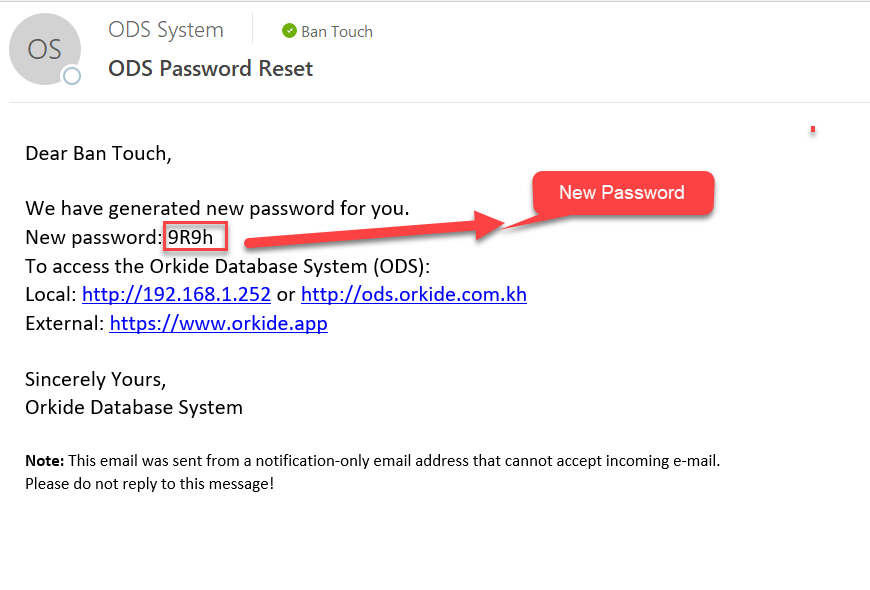
4. Submit successfully and email will send to user email with new password
Related Post

Show your screen during a meeting

In Microsoft Teams, you can show your desktop, a specif...

Tip: Show PowerPoint slides

If you need to present in an online meeting, show your ...

Video: Change your Microsoft 365 for business

Try it! Change your Microsoft 365 for business passw...

Leave a Comment