Shutdown Computers/PC before leaving office.
Should Computers/PC Monitor, Printer, UPS... be shutdow...








WhatsApp defaults to showing everyone your online status, displaying if you are currently online, and the date and time of when you were last online using the WhatsApp app. But what if you’d rather be a bit more private, and hide your WhatsApp online status? You can do that, and it’s easy to configure on WhatsApp for iPhone, Android, Mac, or Windows.
How to Hide Online Status on WhatsApp for iPhone to Improve Privacy
Want to be a bit more private when using WhatsApp? You can hide your online status, which will then not display when you are online, or when you were last online using the service.
Note that by hiding the online status in WhatsApp you will find a side effect is that it also prevents you from seeing other users online status.
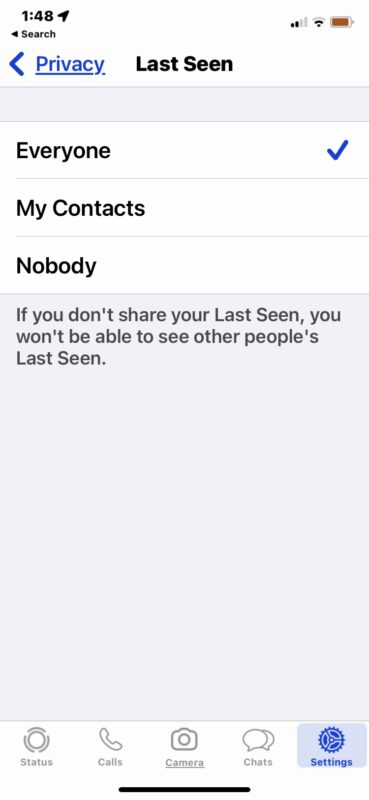
7. Exit out of WhatsApp settings and use the app as usual, with your online status (or lack of status) set.
Remember, choosing to hide your online status and last seen status on WhatsApp will also prevent you from seeing other users statuses
This may be useful if you want to add some additional privacy to your WhatsApp usage, but it could be particularly useful if you’re adding a new contact to WhatsApp and interacting with them but you don’t quite trust them yet. Just remember the Online Status in WhatsApp settings impacts all your chats, not just a single contact.