ODS Reset Password

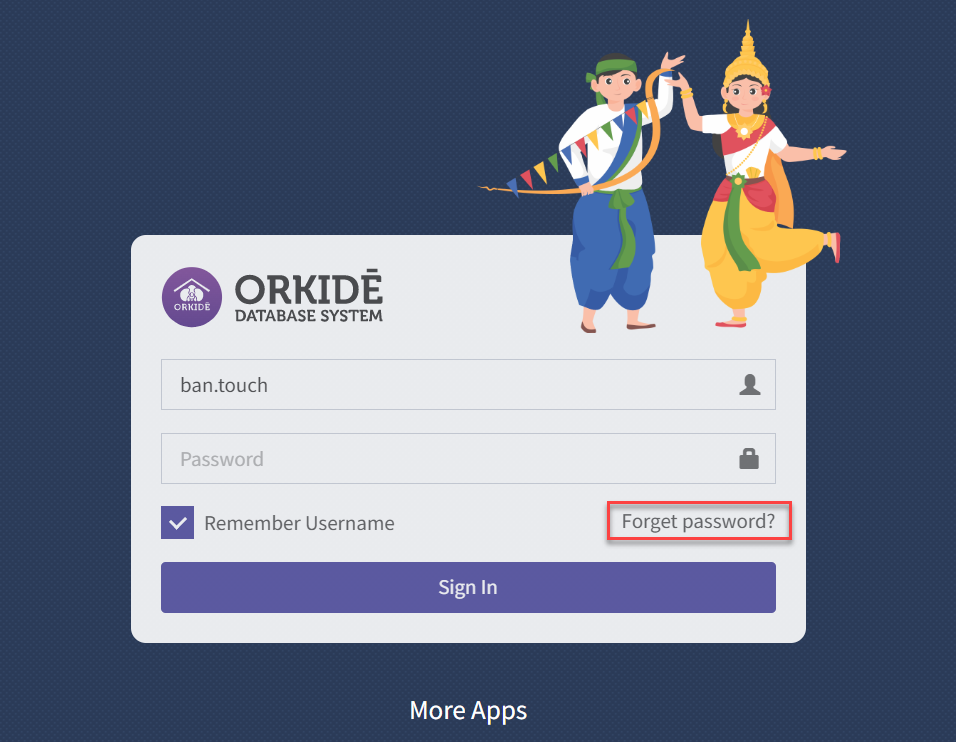
  1. Access ODS by url http://192.168.1.252/login.aspx

2. Click on Forgot Password?

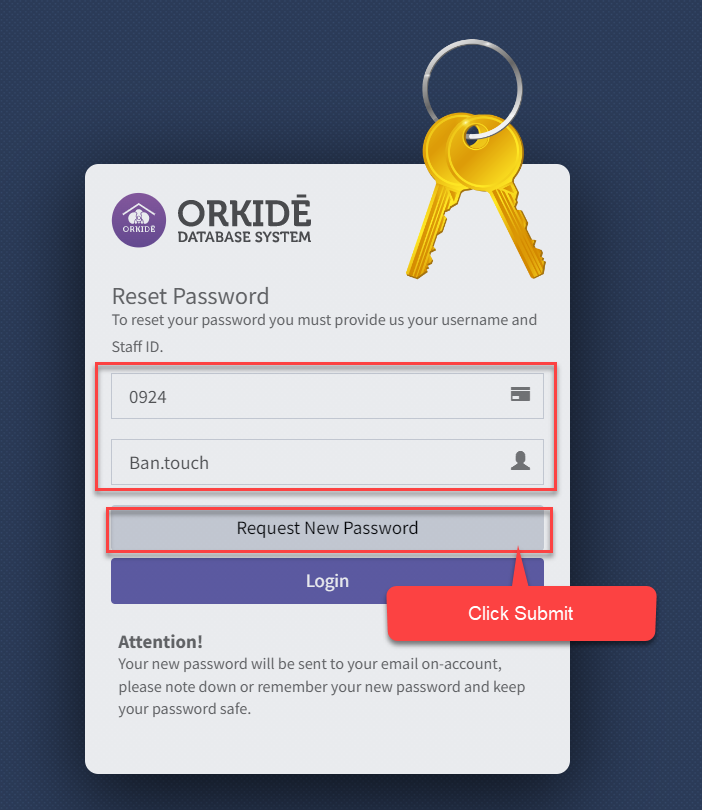
3. Input staff ID and ODS user name then click on Request New Password.

  1. User name ODS account
  2. Staff ID 4 digits

Examole as Image below:

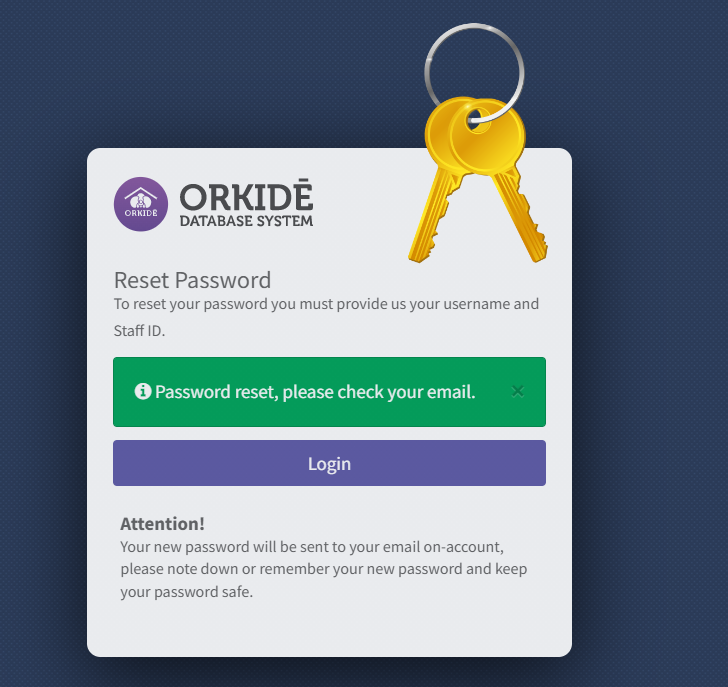
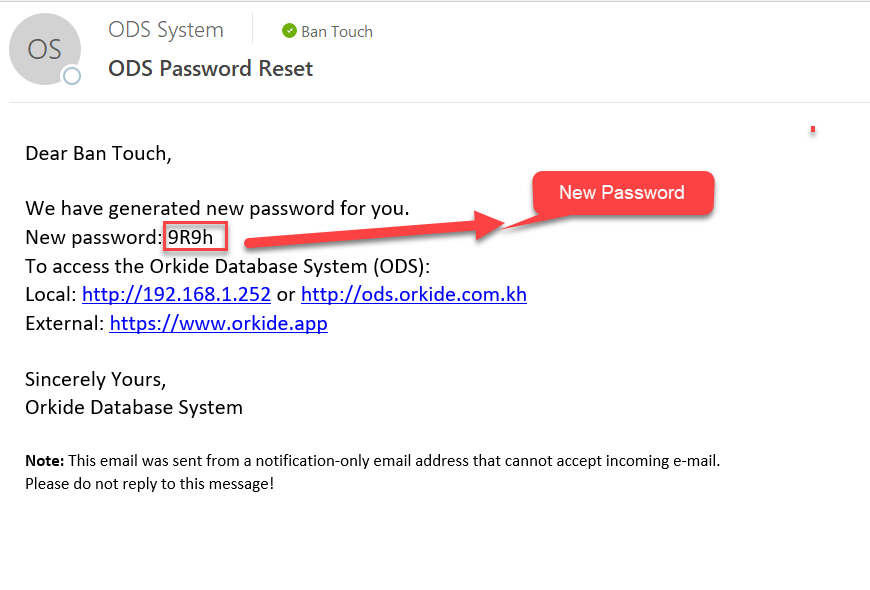
4. Submit successfully and email will send to user email with new password
Related Post

How to Change Your Outlook Profile on Desktop

This video will show you how to change from your previo...

The Generating Next Month of Invoice

You can generate the next month of the invoice, the fie...

Join or Create a Team

To get your team up and running in Microsoft Teams, cre...

Leave a Comment