How to Use Dark Mode in WhatsApp for iPhone &
Have you been looking forward to using a dark-themed Wh...








WhatsApp now gives users full control over who adds them to group chats. Interested in finding out how? Well, you’ve come to the right place. In this article, we’ll be discussing exactly how you could set up the group privacy feature and stop random people from adding you to group chats.
Make sure you’ve updated to the latest version of WhatsApp from the App Store.
Then, open the WhatsApp application and simply follow the steps below to adjust your group privacy setting to exclude who can add you to a group chat.
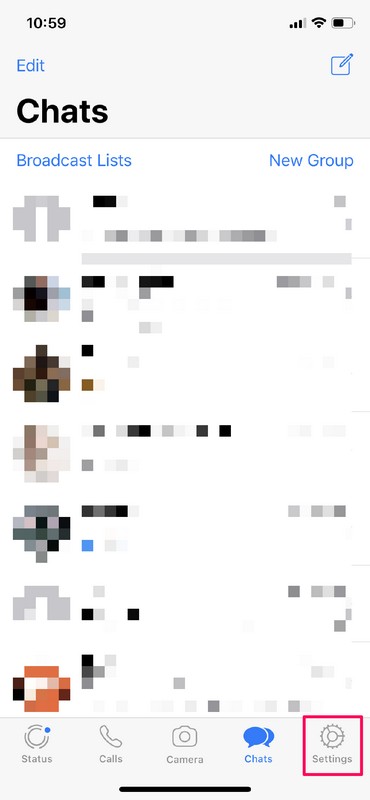
1. Once you open the app, you’ll be taken to the chat section. Tap on “Settings” located right next to the chat icon at the bottom of the screen.
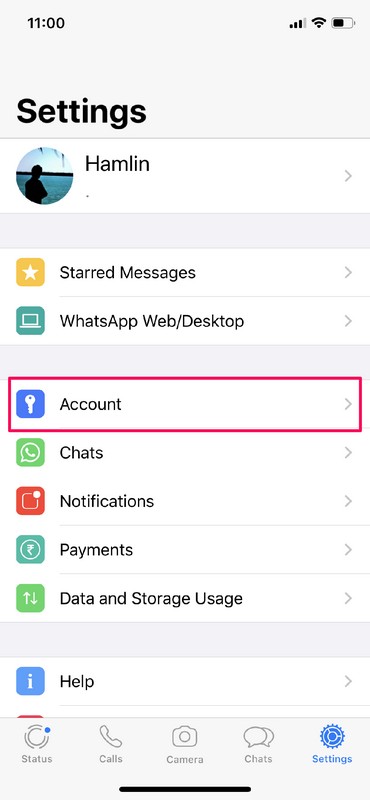
2. Now, simply tap on “Account” to head over to your WhatsApp account settings.
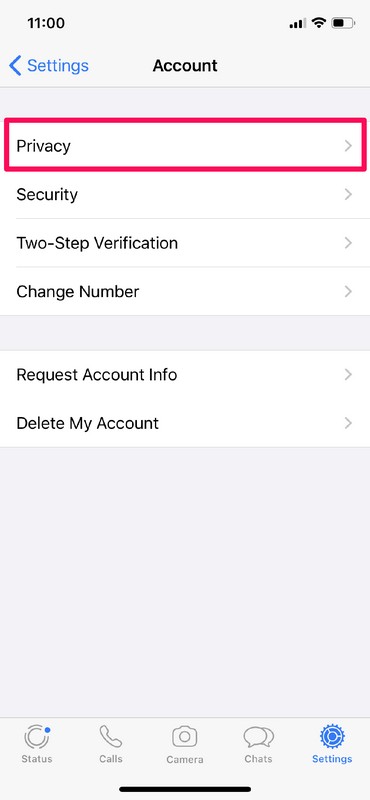
3. Once you’re in the Account section within settings, tap on “Privacy”.
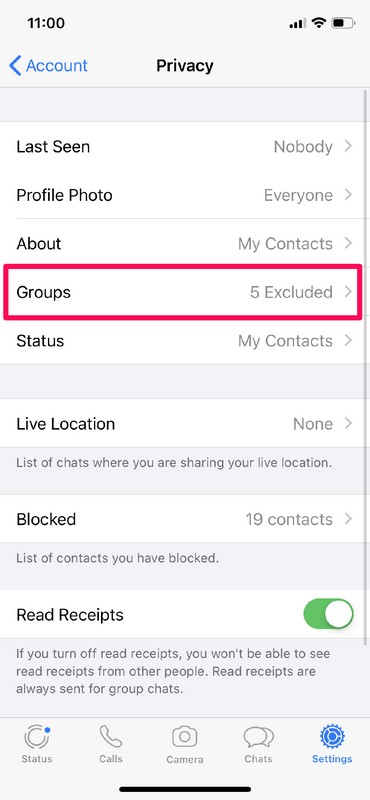
4. Here, you’ll see the new group privacy setting located along with existing privacy options for Last Seen, Profile Photo and more. Just tap on “Groups” to proceed to the next step.
5. There are three privacy options for Groups, but considering you want to stop random people from adding you to groups, you could choose between your contacts or even blacklist specific people in your contacts list if they’re adding you back to a group you don’t want to be a part of.
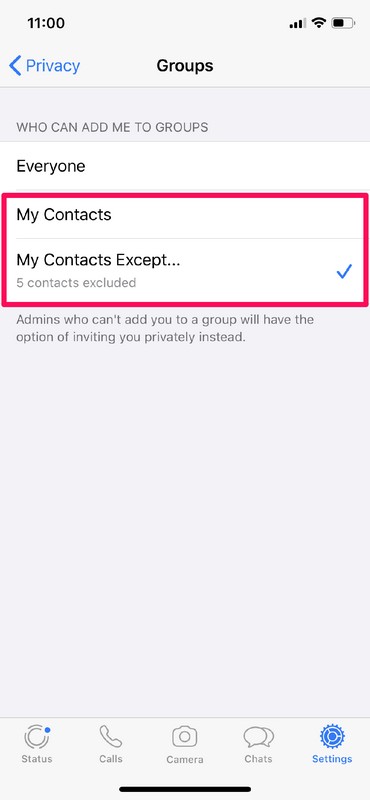
Well, that’s all there is to it. You have complete control over who adds you to a WhatsApp group chat.
From here on, when a blacklisted group admin tries to add you to a WhatsApp group chat, they’ll be unable to do so and instead have the option of inviting you using a group link via private message. This essentially stops them from forcing you to be a part of the group against your will.