Make the most of your 365
A collection of powerful productivity apps you can use ...








With message recall, a message that you sent is retrieved from the mailboxes of the recipients who haven’t yet opened it. You can also substitute a replacement message. For example, if you forgot to include an attachment, you can try to retract the message, and then send a replacement message that has the attachment.
Message recall is available after you click Send and is available only if both you and the recipient have a Microsoft 365 or Microsoft Exchange email account in the same organization.
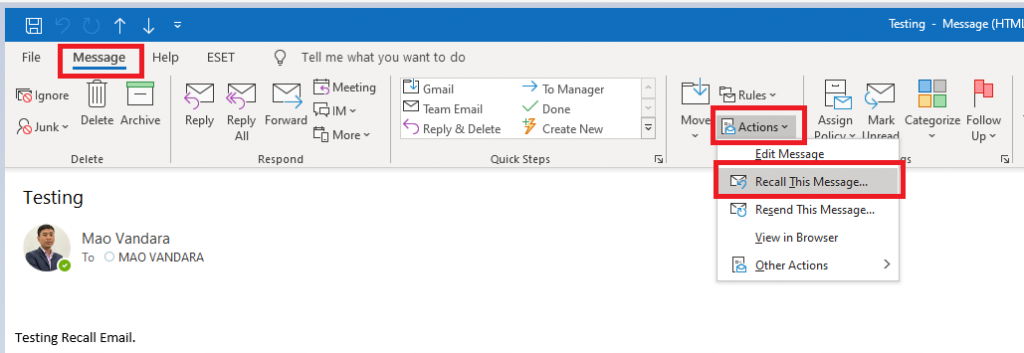
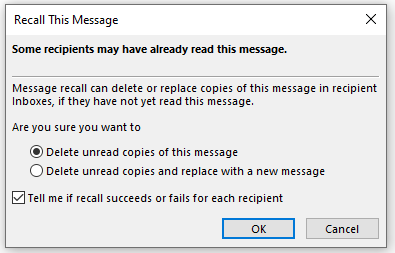
Click Delete unread copies of this message or Delete unread copies and replace with a new message, and then click OK.
If you’re sending a replacement message, compose the message, and then click Send.